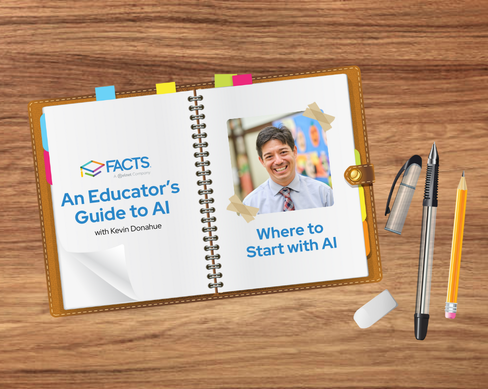
This post is part of our series “An Educator’s Guide to AI,” written by FACTS team member and educator Kevin Donohue. Stay tuned for more posts from Kevin!
In November of 2022, ChatGPT released GPT-3.5, or the text-davinci-002 model, to the public, kickstarting the generative AI boom, which has impacted education, business, and society. Since then, Google, Microsoft, Anthropic, and many other companies have jumped in with their own generative AI models, promoting them as AI assistants capable of generating text, images, and videos in response to prompts or embedded in outside tools.
As with many fields, those of us in education had the opportunity to jump in with the public, and so did our students. Some teachers were quick to do so and students were even quicker. The rash of GPT-generated homework, essays, and work has caused widespread concerns about cognitive offloading, plagiarism, and the impact on learning.
Like most educators, I came to AI later. My first efforts at exploring generative AI happened fifteen months after GPT-3.5 became available.
As generative AI exits the terrible twos and fully moves into toddlerdom, I wanted to share some advice from my own successes and failures, along with insights from the many educators I’ve worked with in and outside of FACTS. Like a cool pool, I don’t recommend a cannonball in the deep end, but a gradual acclimation and accommodation as you move down the stairs. Let’s put on our AI suits, grab a prompting towel, and get ready to hit the pool.
Step 1: Get Settled
First, let’s learn a little bit about AI. Just as you would scope out the pool area for the best place to safely leave your belongings, we want to make sure we are ready for AI.
To start, check out our blog series on AI for educators:
Here are a few other great introductory resources to explore:
-
Explore a variety of other AI courses for beginners and more experienced users on Coursera
Make sure you understand how companies use and store your data, and what you want to expose and what you don’t. OpenAI and Claude require you to opt out of having your data used for training. Gemini’s education-based access says they will not use your data for training purposes. At the same time, like anything on the internet, whatever you type in is now out there somewhere on a server. So please put on your data sunblock!
Step 2: Test the Waters
After you get a sense of AI and how to be safe, it’s time to dip your toes in the water and start using it. Always start small: one or two tasks per week to get a sense of what AI can do practically for you.
A great starting step is to use its text-generative capabilities to assist in professionalizing emails. Use a basic prompt like, “You are an assistant to a school leader. Help me professionally answer this parent email in less than five sentences.” Be sure to review the generated text, tweak it to match your language and style, and avoid copying introductory text such as, “Sure, here’s a professional email.”
Another basic AI step is to have it be a research assistant. AI with web search capabilities can add relevant holidays and local events to your newsletter. With a simple weekly prompt, you can make your newsletter a strong touch point for families. Search can also analyze your school’s website or social media.
Step 3: Dive Deeper
After getting comfortable in the water of AI, it’s time to have fun and try some more advanced tasks. I usually recommend working with AI as a planning partner to assist with faculty meeting development or demographic analysis. Continue to be mindful of the data you are supplying and be sure to avoid your own cognitive offloading! Don’t drown in the pool of AI just because you’re comfortable.
The deeper end might include exploring further use of AI tools that can generate images and video or establishing a chatbot for your website. Consider how AI can collaboratively strengthen your team’s voice, smoothing rough edges and building a consistent message.
With practice at prompting and a commitment to learning, you can improve your workflows, communication, and productivity with ethical, efficient, and effective AI use.
I encourage you to be smart and spend some time with your new “pool noodle” of AI and ride in the lazy river of generative large language learning models. You’ll be making waves in no time. (Note: all these puns in the last paragraph are courtesy of ChatGPT-5).
About the Author
Kevin Donohue is the Leadership Coaching Manager for FACTS, where he also delivers customizable professional development and coaching in artificial intelligence for every group of stakeholders at a school. A Tampa native, Kevin joined FACTS after thirteen years teaching and leading in Catholic schools in Los Angeles, San Diego, and Boston. He lives in Arkansas with his wife, a professor of philosophy, and four children. This piece was written by him but checked by ChatGPT and the amazing humans at FACTS.

Kevin Donohue
Recent Blogs
- Federal Scholarship Tax Credit: The Questions Schools and SGOs Are Asking Right Now
- Get to Know The New FACTS Data Insights Dashboards
- Simplify Childcare Compliance with Smarter Attendance Tracking
- Educational AI and School Management Tools: What Schools Need to Know in 2026
- A Teacher’s Guide to AI Prompting
